Prompt Engineering for Artists: Mastering the Art of Generative AI
The emergence of AI image generators like Midjourney, DALL-E 3, and Stable Diffusion has created a new kind of creative canvas. However, many artists find themselves frustrated by the “slot machine” aspect of AI: you put a prompt in, and you never know exactly what you’re going to get.
The bridge between a vague idea and a masterpiece is Prompt Engineering.
For artists, prompt engineering isn’t just about learning keywords; it is about developing a new vocabulary to translate your artistic vision into precise, technical instructions that the AI can understand. This guide will teach you how to move from random outputs to intentional, predictable, and professional artistic results.
Part 1: Deconstructing the Prompt
An AI model doesn’t “understand” concepts the way humans do; it recognizes patterns of text associated with patterns of pixels. To get the best results, you need to structure your input logically. Think of a prompt as a recipe.
A primitive prompt might be: “A dynamic portrait of a cyberpunk woman.” This leaves the AI to guess the style, lighting, camera angle, and mood.
A sophisticated, engineered prompt breaks the request down into structural components.
The Essential Anatomy of a Professional Prompt:
Subject/Action: What is the primary focus, and what is it doing? Be specific.
Details/Environment: What is around the subject? What are they wearing/holding?
Style/Medium: What artistic medium is being used? Is it traditional, digital, or photorealistic?
Aesthetics/Lighting/Color: What is the mood? Where is the light coming from? What is the palette?
Technical Parameters (Optional but vital): Composition, aspect ratio, camera type, or quality hints.
Part 2: The Artist’s Toolkit: Advanced Directives
As an artist, you already have an advantage. You have a vocabulary for light, composition, and style. You just need to apply it to the text.
- Specifying the Medium
The most dramatic change you can make to an image is specifying the material. If you don’t provide this, the AI will default to its most common training data (often a generic digital art style).
Traditional: Oil on canvas, charcoal sketch, watercolor, graphite drawing, impasto texture, etching, lithograph, fresco.
Sculpture/Physical: Bronze sculpture, marble bust, clay modeling, glass blowing, origami, 3D printed texture.
Digital/Modern: Unreal Engine 5 render, CGI, low-poly, pixel art, cel-shading, vector art, double exposure.
Photography: Polaroid, 35mm film photograph, large format photography, GoPro shot, surveillance footage.
- Mastering Lighting and Mood
In painting, lighting is everything. It defines form and mood. Use the correct terminology to dictate this to the AI.
Key Lighting terms: Cinematic lighting, chiaroscuro, backlit, rim lighting, soft light, harsh midday sun, golden hour, volumetric lighting, bioluminescent glow, neon lighting.
Mood/Atmosphere terms: Ethereal, gritty, melancholic, whimsical, somber, chaotic, minimalist, majestic.
- Controlling Composition and Camera
Instruct the AI like a film director or a photographer.
Camera Shots: Close-up, extreme close-up, wide shot, aerial view (drone shot), bird’s-eye view, worm’s-eye view, macro shot.
Composition Guidelines: Rule of thirds, leading lines, golden ratio, symmetrical, asymmetrical composition.
Lenses (for photorealism): Depth of field (shallow depth of field for blurry background), fisheye lens, bokeh background, 50mm lens, anomorphic lens.
- Directing Color and Textures
Be specific about the palette and the tactile feel.
Color palettes: Monochromatic, complementary colors, triadic palette, pastel tones, muted colors, neon palette, desaturated, vibrant high-saturation.
Textural descriptors: Rough texture, highly detailed surface, smooth gradient, visible brushstrokes, cracked patina, high gloss, matte finish.
Part 3: Model-Specific Nuances
Different models “read” prompts differently. Understanding these nuances is crucial.
Midjourney (The Artistic Model)
Midjourney excels at stylistic interpretation.
Tip: It relies heavily on aesthetic descriptors. You can stack descriptions of texture and light for stunning results.
Technical Parameters: Midjourney uses flags added to the end of the prompt.
–ar 16:9 (Aspect Ratio)
–v 6 (Specifying the model version)
–chaos (How random the results should be, 0-100)
–stylize (How heavily to apply MJ’s default aesthetic, 0-1000)
DALL-E 3 (The Descriptive Model)
DALL-E 3, built by OpenAI, is designed to understand natural language prompts with high precision.
Tip: Write in full, descriptive sentences. You do not need “comma-separated lists.” You can literally describe the scene as a story. DALL-E is better at complex text within images and adhering precisely to complex instructions regarding multiple subjects.
Stable Diffusion (The Precise/Open Model)
Stable Diffusion gives the most control but requires the most technical prompt engineering.
Tip: It is highly sensitive to word order. The words at the beginning of the prompt carry significantly more weight than those at the end.
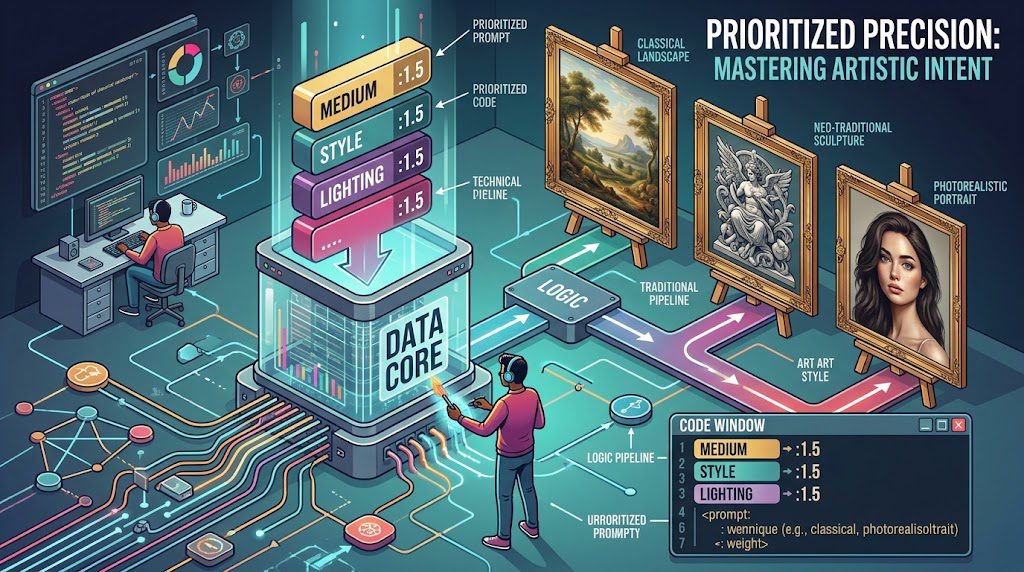
Specifics: You can use specialized syntax in many interfaces (like Automatic1111) to add weight to words, such as (highly detailed:1.5) to emphasize that descriptor. Stable Diffusion also relies heavily on “Negative Prompts” to define what you don’t want.
Part 4: Putting It All Together: The Iterative Process
Let’s take that primitive cyberpunk prompt and apply what we’ve learned.
Primitive:
“A cyberpunk woman holding a sword, very detailed.”
Intermediate (Adding Medium and Light):
“Oil painting on canvas of a cyberpunk woman holding a katana, visible brushstrokes, dramatic chiaroscuro lighting, neon blues and pinks, volumetric fog.”
Advanced (Refining Composition and Specifics):
“Cinematic, full-body shot of a cyberpunk samurai woman, armored cybernetic suit with visible wiring, holding an iridescent katana. Rule of thirds composition. Gritty urban alleyway background, soft neon glow reflecting off wet pavement. High contrast, shallow depth of field. Shot on 35mm film, grainy texture.”
The Rule of Iteration
You will rarely get the perfect image on the first try. The secret to being an “AI artist” is iteration:
Generate: Run your structured prompt.
Analyze: What did the AI miss? What did it overemphasize? (e.g., The sword is good, but the lighting is too bright).
Adjust: Modify one or two words at a time. Change harsh midday sun to overcast lighting.
Repeat: Keep refining until you hit your vision.
Part 5: Advanced Strategies for the Professional Workflow
- Inpainting and Outpainting
Generating a full image from text is only step one.
Inpainting: (Photoshop or Stable Diffusion). Take an AI generated result, mask a small area (like a hand that has too many fingers) and describe only what should be in that specific area to fix it. This is how you take a 90% perfect image to 100%.
Outpainting: (Photoshop, Midjourney). Zoom out from your canvas, and prompt the AI to fill in the surrounding environment while keeping the central subject the same.
- Style-Mixing and ‘Mixing Mediums’
A powerful way to find a unique “style” is to blend contradictory terms.
An ancient Egyptian fresco of a robotic cyber-warrior.
Watercolor and graphite mixed media sketch of a space station.
- The Power of Negative Prompts (Mainly Stable Diffusion)
Describing what you want is good, but describing what you must avoid is often better for clarity. A standard negative prompt for artists often includes:
Negative Prompt: ugly, deformed, disfigured hands, extra fingers, missing limbs, blurry, low quality, grainy, signature, watermark, text, text error, cropped, out of frame.
Conclusion: The New Art of Words
Prompt engineering is not “cheating”; it is the natural evolution of art in the digital age. Just as digital artists had to learn Photoshop brushes and layer blending modes, the new generation of creators must learn the language of data.
By mastering these architectural frameworks, descriptive vocabularies, and iterative processes, you are no longer gambling with an algorithm—you are directing a digital studio to execute your specific artistic intent.